Type 1: Separate hard lumps
Toward constipation
Hard, separate lumps like nuts. Hard to pass.
Stool has spent a long time in the colon and lost most of its water. Usually a sign of constipation.
Tap your type on the Bristol stool chart and you're done. Over the weeks, Poopwell turns those taps into a calendar, food-trigger hints and a PDF your doctor can read.
Free to download. Pro has a 7-day free trial.
Works on iPhone and iPad (iOS 16 or later) in 18 languages. No account and no ads.
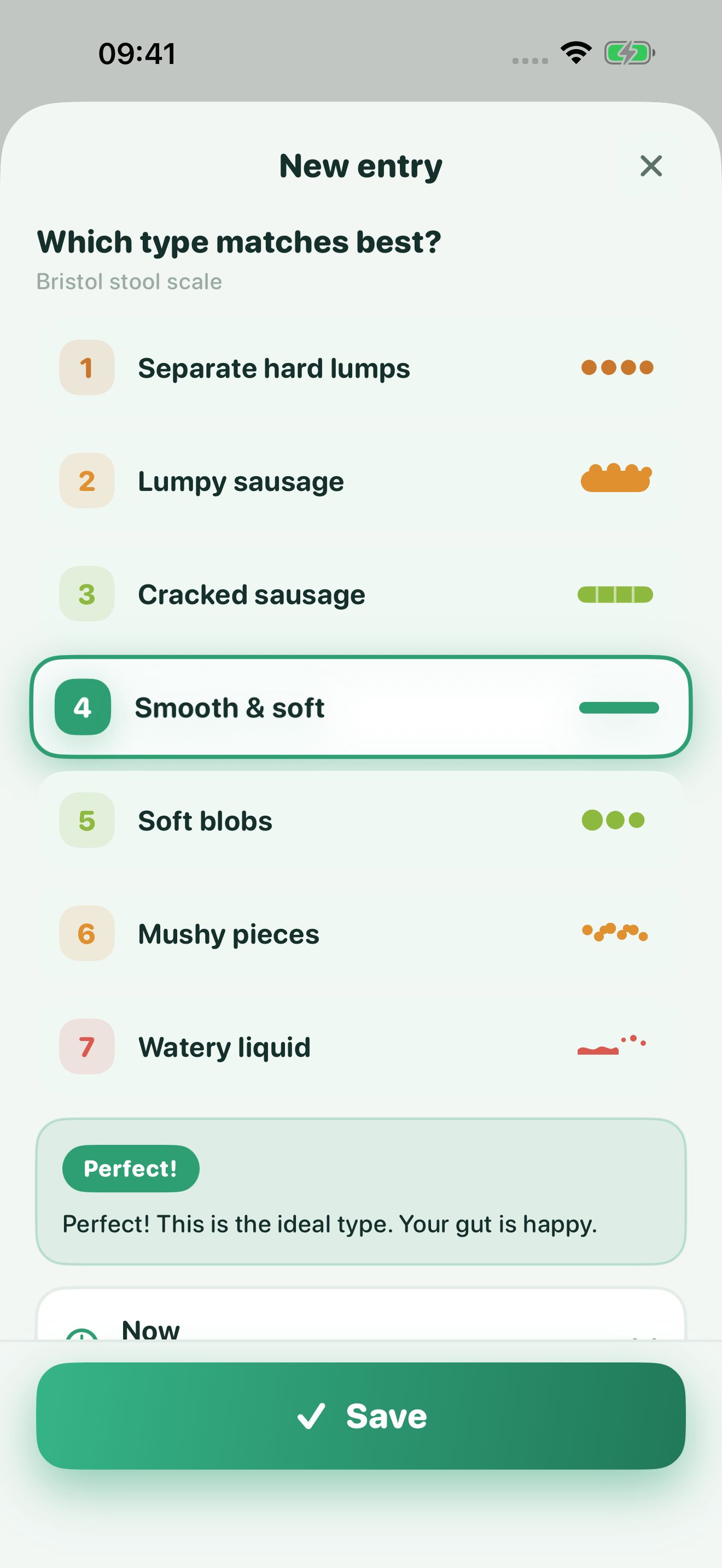
Doctors use the Bristol stool chart to describe poop by shape, from hard lumps (type 1) to fully liquid (type 7). It's the same list you tap in Poopwell. Pick one to see what it usually means.
Toward constipation
Hard, separate lumps like nuts. Hard to pass.
Stool has spent a long time in the colon and lost most of its water. Usually a sign of constipation.
Toward constipation
Sausage-shaped but lumpy, like lumps stuck together.
Still on the slow, dry side. Often means mild constipation. Water, fiber and movement usually help.
Normal range
Like a sausage with cracks on the surface.
Within the normal range. Easy to pass, with a little less water than type 4.
Normal range
Like a sausage or snake, smooth and soft.
The type most people aim for. Transit time and water content are about right.
Toward diarrhea
Soft blobs with clear-cut edges. Passed easily.
On the loose side of normal. Common now and then, and sometimes a hint that a meal had little fiber.
Toward diarrhea
Fluffy pieces with ragged edges. A mushy stool.
Moving through quickly. Points toward mild diarrhea, which food, stress or an infection can cause.
Toward diarrhea
Watery, no solid pieces. Entirely liquid.
Diarrhea. Drink fluids, and see a doctor if it lasts more than a couple of days or comes with blood or fever.
Read the full Bristol stool chart guide, including when a change is worth a call to your doctor.
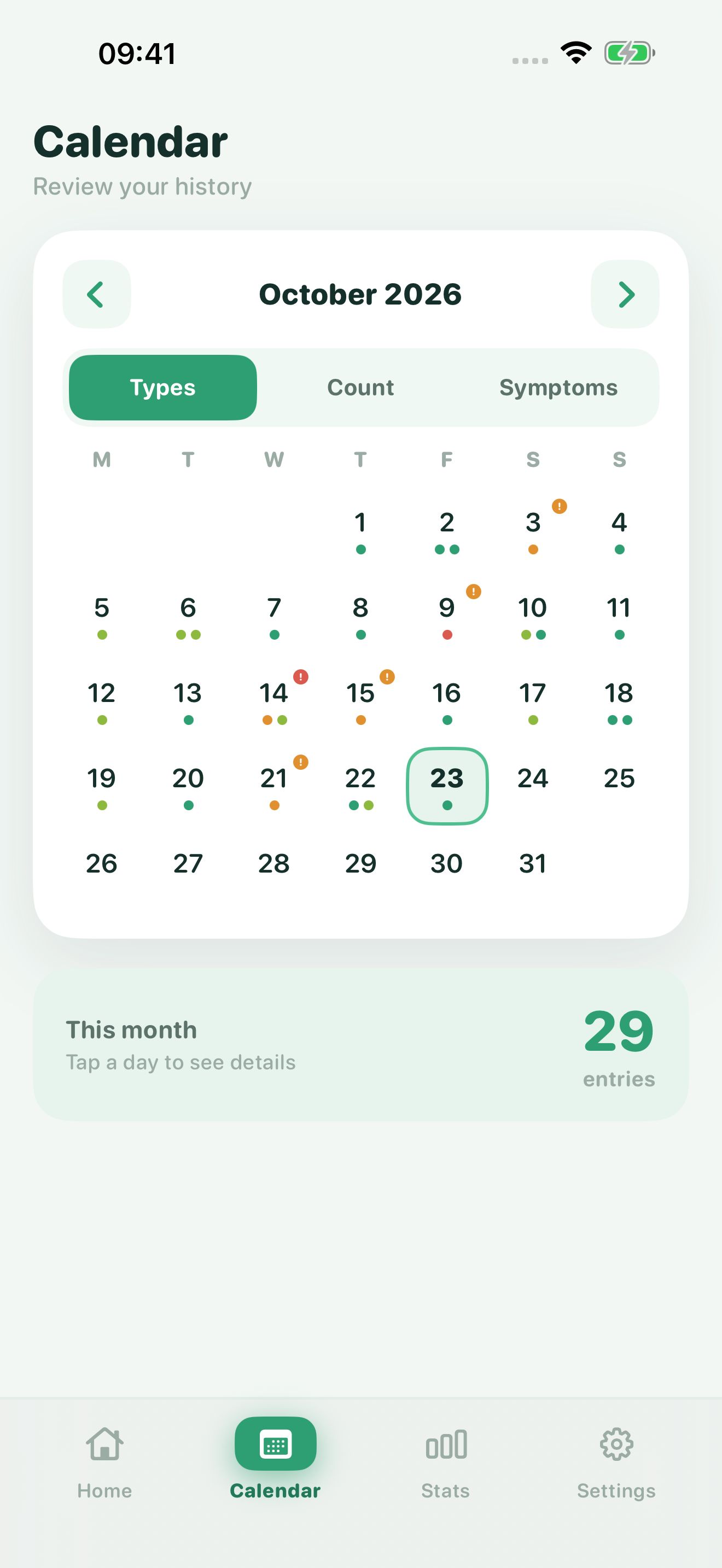
Every day on the calendar gets a dot in the color of its Bristol type, so a run of hard or loose days stands out right away.
Switch the view to count or symptoms, tap any day for details, and check weekly, monthly or yearly stats for your averages and streaks.
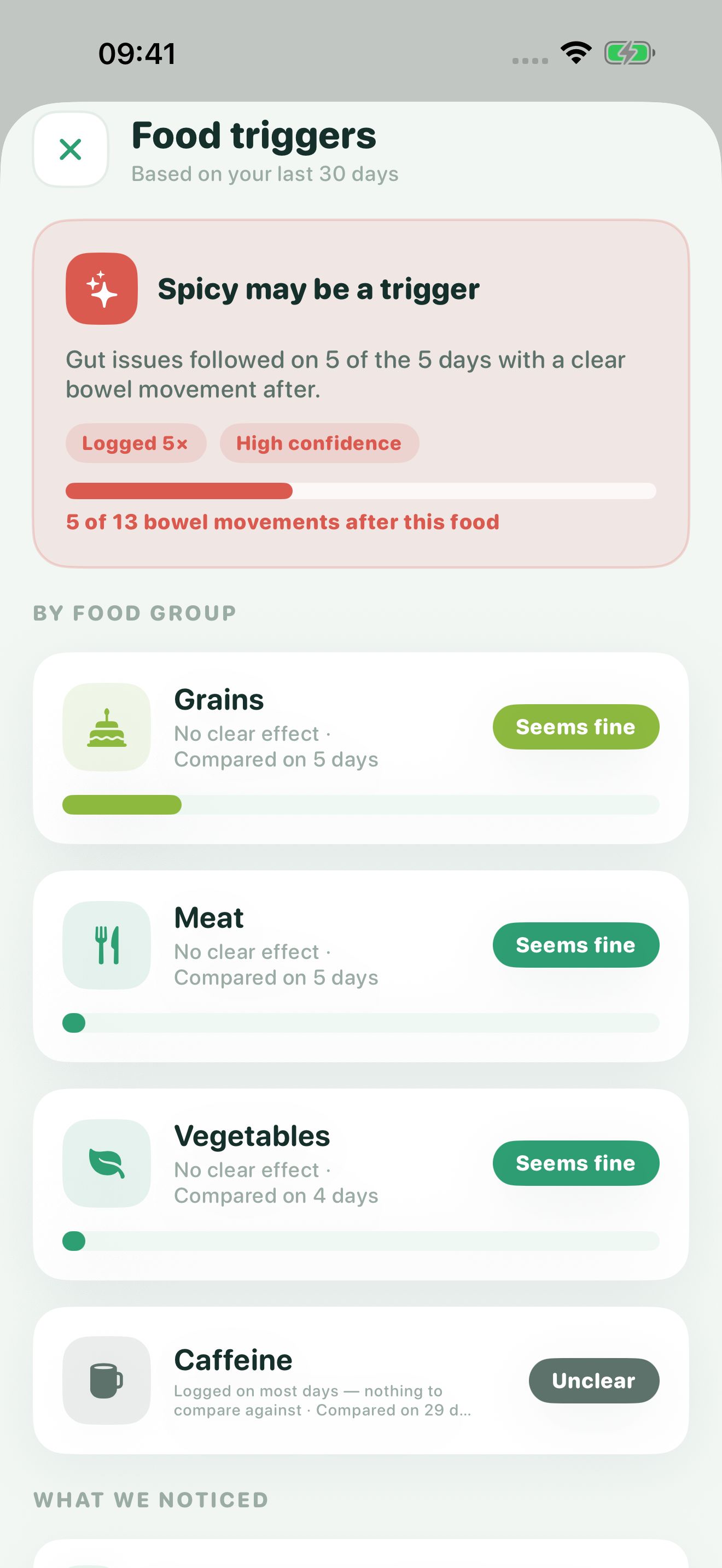
Tap the food groups you ate, like Dairy, Spicy, Gluten or Caffeine. You never type out meals or count calories.
Poopwell compares the days after each food group with your other days, then tells you which ones look like triggers, which seem fine, and how sure it is.
Included in Poopwell Pro
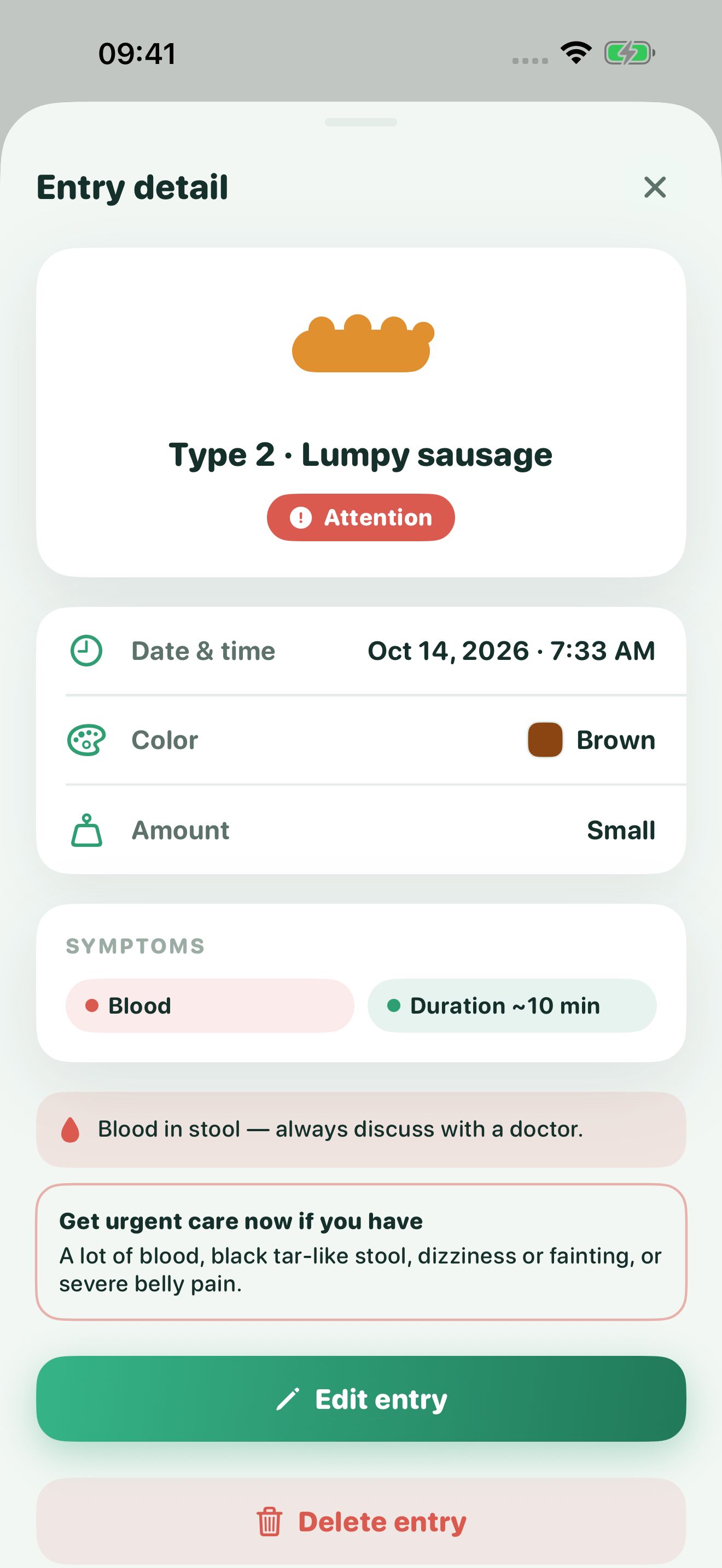
Log stool color and symptoms such as blood, mucus, pain or urgency along with the type.
If you record black, red or pale stool, or blood, Poopwell says so plainly and lists the signs that mean you should get care right away.
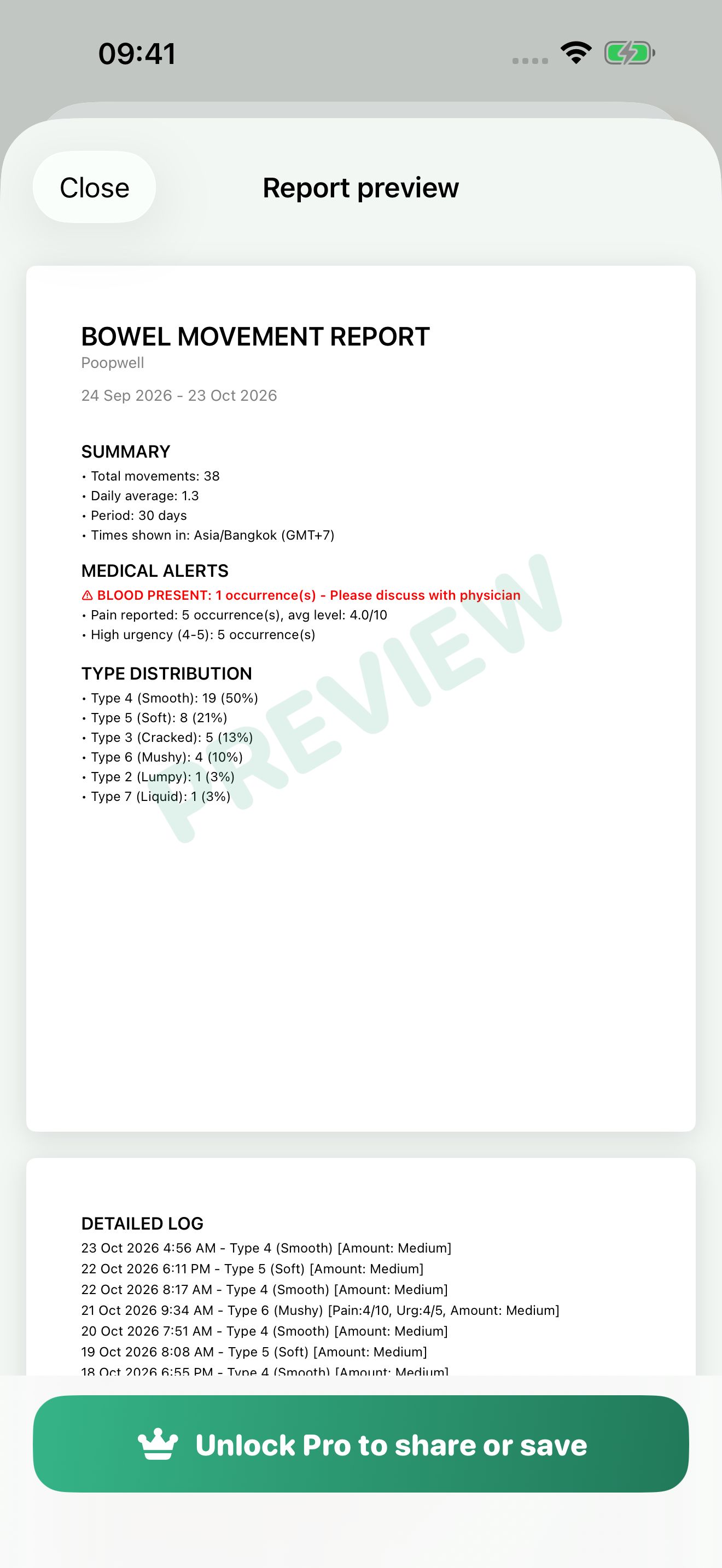
The PDF report covers any date range: total movements, daily average, Bristol type distribution, medical alerts and a timestamped log of every entry.
You can preview it for free. Saving and sharing it is part of Pro, and so is CSV export for your own records.
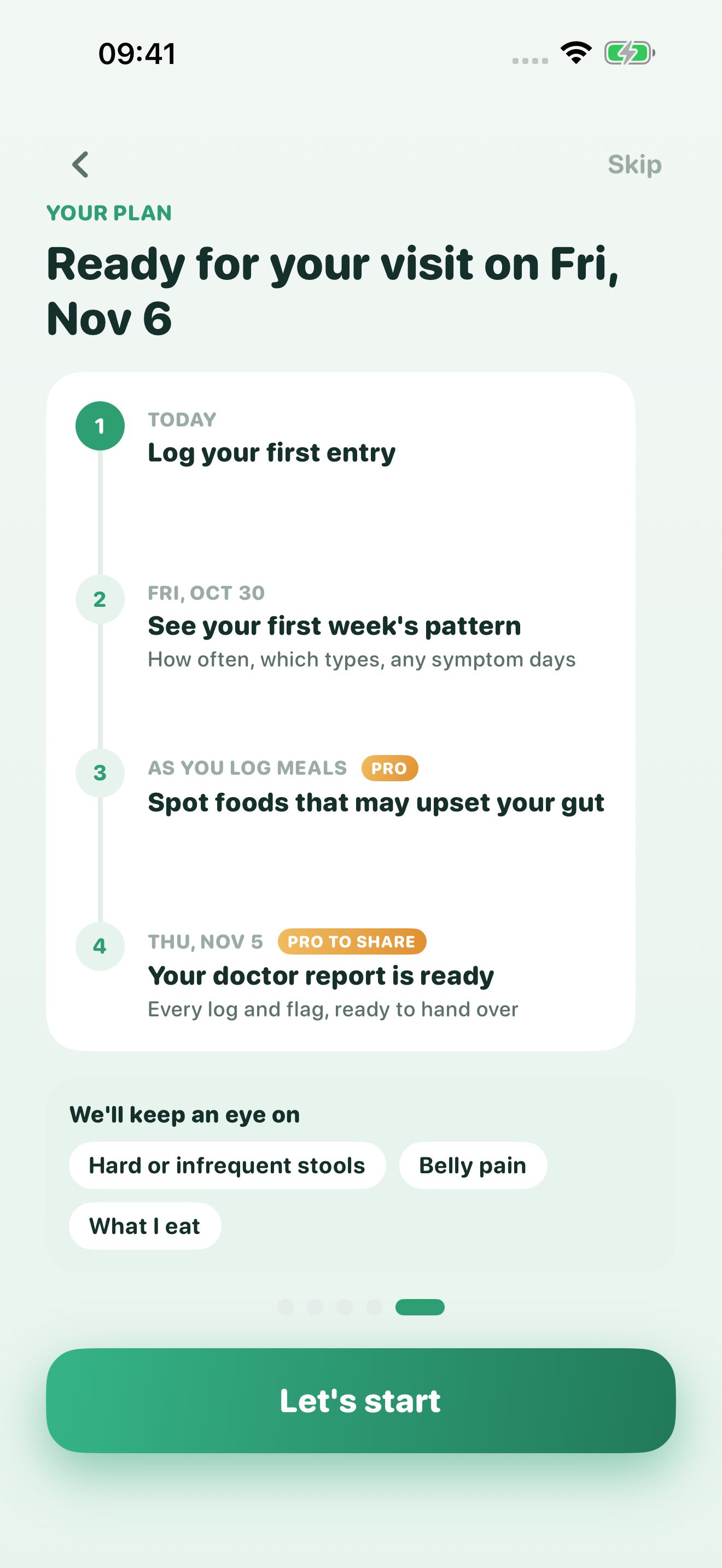
When you first open Poopwell, it asks what you're tracking for, such as an upcoming appointment, and builds a short plan around that date.
Day 1
Tap the type, save. Time, color, amount and symptoms are optional.
After a week
How often you go, which types come up most, and which days had symptoms.
As you log meals
The trigger list fills in once each food group has a few days of data.
Before your visit
Every log and flag, summarized for the date range you pick.
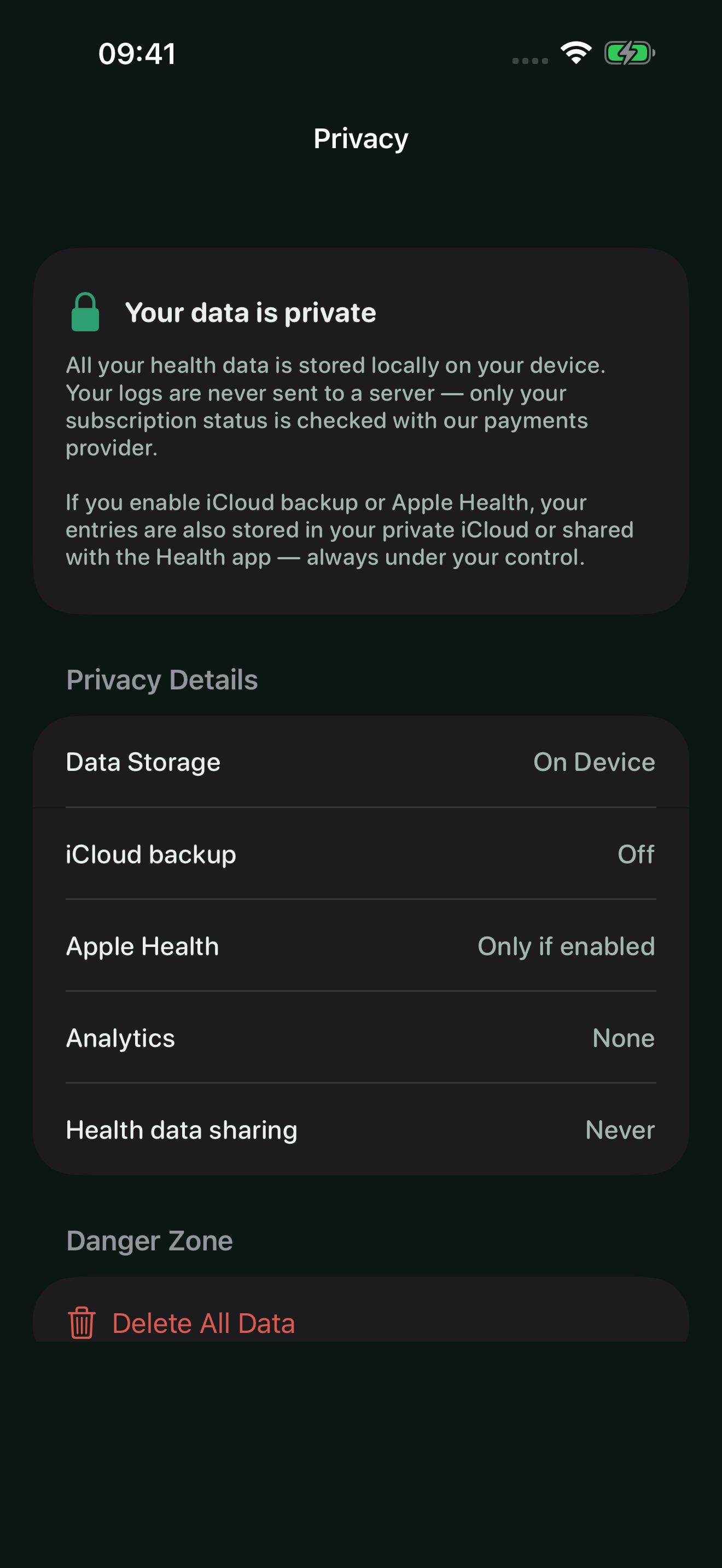
Poopwell doesn't send your logs to a server. The only thing it checks online is whether you have a Pro subscription, with our payment provider.
Read the full privacy policy.
Log your type after each trip and tap what you ate. After a few weeks the trigger list shows which food groups line up with bad days.
How to keep an IBS food diaryTrack frequency, blood, mucus and urgency between appointments, so you can say when a flare started instead of guessing.
Blood in stool: when to worrySee how many days pass between movements and whether more water, fiber or a new medication is moving you toward type 3 or 4.
How often should you poop?Keep a separate profile for a child, a partner or an elderly parent on the same phone. The widget has no telltale labels.
Doctors ask how often you go, what it looks like and whether you have seen blood. The report answers all of that on one page.
What stool colors meanYour older entries are never deleted on the free plan. Pro just lets you see and export them.
$0
$19.99 a year
or $2.99 a month, or $39.99 once for lifetime access
Everything in Free, plus:
Cancel anytime in your Apple Account settings.
Poopwell is a poop tracker app for iPhone. You log each bowel movement on the Bristol stool chart with one tap, add color and symptoms if you want, and the app turns your entries into a calendar, stats, food-trigger hints and a PDF report you can show a doctor.
Yes. Logging is free and unlimited, and the free version shows your calendar and stats for the last 30 days. Poopwell Pro adds full history, food-trigger analysis, PDF and CSV export, multiple profiles, widgets and iCloud backup. Pro costs $2.99 a month, $19.99 a year, or $39.99 once, with a 7-day free trial.
Your entries are stored on your iPhone. There is no account to create, no ads and no analytics. If you turn on iCloud backup or Apple Health, your data also goes to your own private iCloud or Health app, which only you control.
No. You tap food groups such as Dairy, Spicy, Gluten or Caffeine. Poopwell then compares the days after each food group with your other days and tells you which ones may be triggers.
The PDF report lists your total movements, daily average, Bristol type distribution, symptoms like blood or pain, and a dated log of every entry. It is built to be read in a minute or two at an appointment.
Yes. Pro supports multiple profiles, so a caregiver can keep a separate log for each person on the same phone.
Not yet. Poopwell runs on iPhone and iPad with iOS 16 or later, and it is available in 18 languages.
No. Poopwell is a tracking tool. It can point out patterns and warning signs such as black or red stool, but only a healthcare professional can diagnose a condition.